 admin
The eTA Application Flow, Stage by Stage: A Visual Walkthrough of Law No. 26 (2006) in Practice
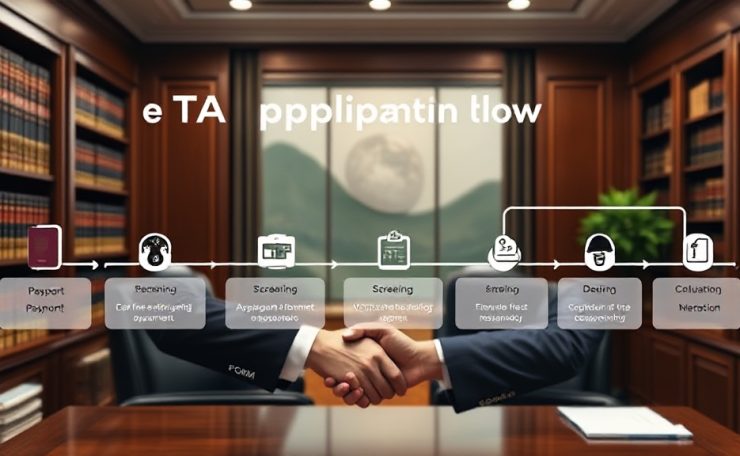
Picture the electronic travel authorization process as a pipeline with gates. Each gate has a checkpoint, a pass condition, and a fail condition. This article walks gate by gate, using a Vanuatu traveler as the running example, so you can see exactly where an application moves forward and where it stalls. The legal backbone for this flow sits in the Main Provisions of Law No. 26 (2006), which sets the framework that immigration systems translate into digital steps.
If you learn visually, think of every stage below as a box on a flowchart. Arrows only move forward when the box is complete. The moment a condition fails, the arrow loops back or stops entirely.
Gate 1: The Online Form as the Entry Point
The pipeline begins with a single digital form. This is not a visa application in the traditional sense; it is a data capture gate. The traveler enters passport details, travel dates, purpose of visit, and contact information. Each field maps to a legal requirement defined in the statute, which is why the form cannot be shortened arbitrarily.
For the Vanuatu example, imagine a traveler named Mere who holds a Vanuatu passport and wants to visit a partner country that uses an eTA system. She opens the portal, selects her nationality, and the system immediately checks whether her passport type is eligible. Eligibility is determined before any personal data is saved, which prevents wasted applications.
What the form actually validates
- Passport validity window (usually six months beyond intended stay)
- Nationality and passport issuing authority
- Travel dates within the allowed authorization period
- Declared purpose matching permitted categories
If any field fails validation, the form blocks submission. This is the first gate, and it is purely mechanical.
Gate 2: Payment and Submission Confirmation
Once the form passes validation, the pipeline moves to payment. The fee is not a penalty; it is the administrative cost of processing. In most eTA systems, payment triggers a submission receipt with a reference number. That number becomes the traveler’s tracking key for every later stage.
Mere pays, receives a confirmation email, and the system logs her application as submitted. At this point, the application is no longer editable. The submission receipt is the only proof that the pipeline has started, so it should be saved immediately. Travelers who lose this reference often cannot query their status later.
Behind the scenes, the system performs an automated completeness check. Missing attachments or mismatched passport numbers cause an immediate bounce back to the form stage, which is why the receipt sometimes arrives with a correction request instead of a clean submission.
Gate 3: Automated and Manual Screening
After submission, the application enters screening. This stage has two layers: an automated database check and, for flagged cases, a manual review. The automated layer compares the applicant’s details against watchlists, previous applications, and passport records. Most applications clear this layer in minutes.
Manual review is triggered by specific conditions: inconsistent travel history, unusual document patterns, or random sampling. Manual review does not mean rejection; it means a human officer must confirm what the system flagged. For Mere, a clean record means the screening gate opens quickly, and her application moves to the decision stage.
This is where the legal provisions matter most. The statute defines which grounds can trigger a manual hold and which cannot. Without that framework, screening would be arbitrary. The Main Provisions of Law No. 26 (2006) supplies the categories that officers use to decide whether a flag is substantive or procedural.
Gate 4: The Decision and Approval Email
The decision stage produces one of three outputs: approved, refused, or pending further information. Approval arrives as an email containing the authorization number and validity dates. This email is not a visa; it is a digital permission linked to the passport number used in the application.
Mere receives her approval email and checks three things: the passport number matches exactly, the validity window covers her travel dates, and the authorization number is legible. An approval with a mismatched passport number is functionally useless at boarding, so this check is not optional.
Refusals at this stage usually cite a specific ground from the statute. Pending status means the officer needs one more document, often a clearer scan or a travel itinerary. Each outcome has a different next arrow on the flowchart.
Gate 5: Linking the Authorization to the Passport
Approval does not travel with the person; it travels with the passport. The system links the authorization number to the passport number, and this link is what airline systems check at check-in. If the traveler renews their passport between approval and travel, the authorization becomes invalid because the link is broken.
This is a common stall point. Travelers who renew passports often assume the approval carries over. It does not. A new passport requires a new application or a formal transfer request, depending on the system’s rules. Mere avoids this by checking her passport expiry before applying.
The linking stage also determines whether the authorization is single-entry or multiple-entry. That detail is printed in the approval email and encoded in the authorization number.
Gate 6: Boarding and Arrival Checks
The final gate is physical. At check-in, the airline scans the passport and queries the authorization system. If the authorization number is valid and linked, boarding proceeds. If not, the traveler is stopped before reaching the departure gate.
On arrival, the border officer performs a second check. The authorization must still be valid on the date of entry, and the traveler must match the passport. Boarding approval does not guarantee entry approval; the arrival check is a separate gate with its own conditions.
Mere clears both checks because her authorization is linked, valid, and matched to her travel dates. The pipeline is complete.
Where Applications Stall and How to Avoid It
Most stalls happen at predictable points. The form stage stalls on eligibility mismatches. The payment stage stalls on incomplete submissions. Screening stalls on manual review without a clear document trail. The decision stage stalls on mismatched passport numbers. The linking stage stalls on passport renewals. The boarding stage stalls on expired authorizations.
Each stall has a simple prevention: verify eligibility before starting, save the submission receipt, check the approval email against the passport, and confirm the authorization is still valid on the travel date. The pipeline rewards preparation at the first gate, because every later gate depends on the accuracy of the data entered there.
For travelers using Vanuatu documents, the same logic applies. The legal framework in the Main Provisions of Law No. 26 (2006) defines the conditions, and the digital pipeline enforces them one gate at a time. Read the flow visually, and the stalls become obvious before they happen.